
Example: disaster recovery to Azure
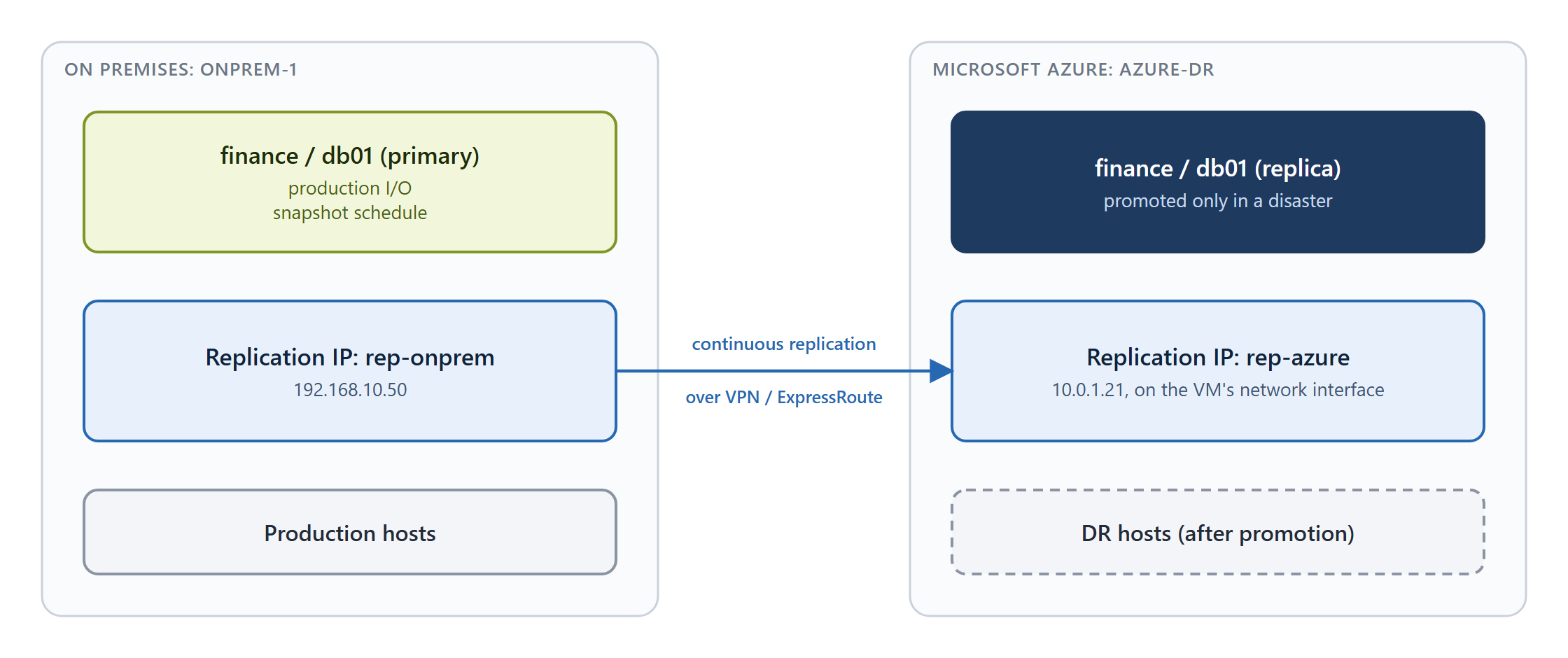
This example replicates the volume finance/db01 from an on-premises system, onprem-1, to a StorONE system on Azure, azure-dr. The primary copy stays on premises; the Azure copy is promoted only if the primary site is lost.
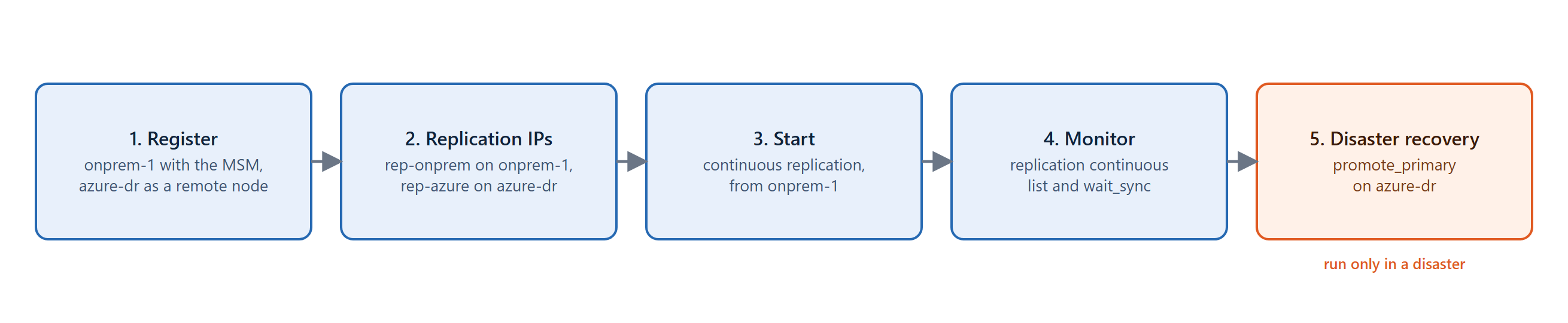
The steps are:
Before you begin, deploy the Azure system as described in Deploying StorONE on Azure, and create the finance application and db01 volume on onprem-1.
1. Register both systems in multi-system management
On onprem-1, register it with the Multi-System-Manager first, then add the Azure system as a remote node:
systems multi_system_manager register --multi_system_manager <Multi-System-Manager address>
systems multi_system_manager register --remoteNode <azure-dr management IP>
Always register from the on-premises side. Registering a cloud system locally is refused with the message "Cloud-based S1 controllers cannot be registered locally." Always add it as a remote node from the on-premises system.
See Systems for the details of multi-system management.
2. Create a replication IP on each system
On onprem-1:
replication ips create rep-onprem --direct --nodes <node> --interfaces <nic> --addresses 192.168.10.50 --mask 255.255.255.0
Then on azure-dr. The address must already be assigned to the VM's network interface in Azure:
replication ips create rep-azure --direct --nodes <node> --interfaces <nic> --addresses 10.0.1.21 --mask 255.255.255.0
See Replication IPs.
3. Start replication from onprem-1
replication continuous start --application finance --volume db01 --targetSystem azure-dr --sourceIp rep-onprem --targetIp rep-azure --asynchronous
--asynchronous keeps production writes from waiting on the WAN round trip to Azure. See Starting and stopping replication for the other options.
4. Monitor
Watch the replication's state with replication continuous list. To wait in a script until the volumes are fully in sync, use:
replication continuous wait_sync --application finance --volume db01
See Promoting and monitoring replication.
5. Disaster recovery
If the primary site is lost, promote the replica on azure-dr:
replication continuous promote_primary --application finance --volume db01
--force allows promotion when the link is down or the replica isn't fully up to date. Only run this step during a real disaster (or a planned DR test). After promotion, map the volume to your DR hosts so they can use it.
See also: Overview · Limitations and best practices · Replication
No comments to display
No comments to display