
Deploying Multi-Admin Approval
This page shows how to put Multi-Admin Approval in place on a system: which policies to create, how to lay them out so the protection can't be undone by one administrator, an example with three administrators, and the steps to set it up. For the details of each command, see Action Policies.
The recommended set of policies
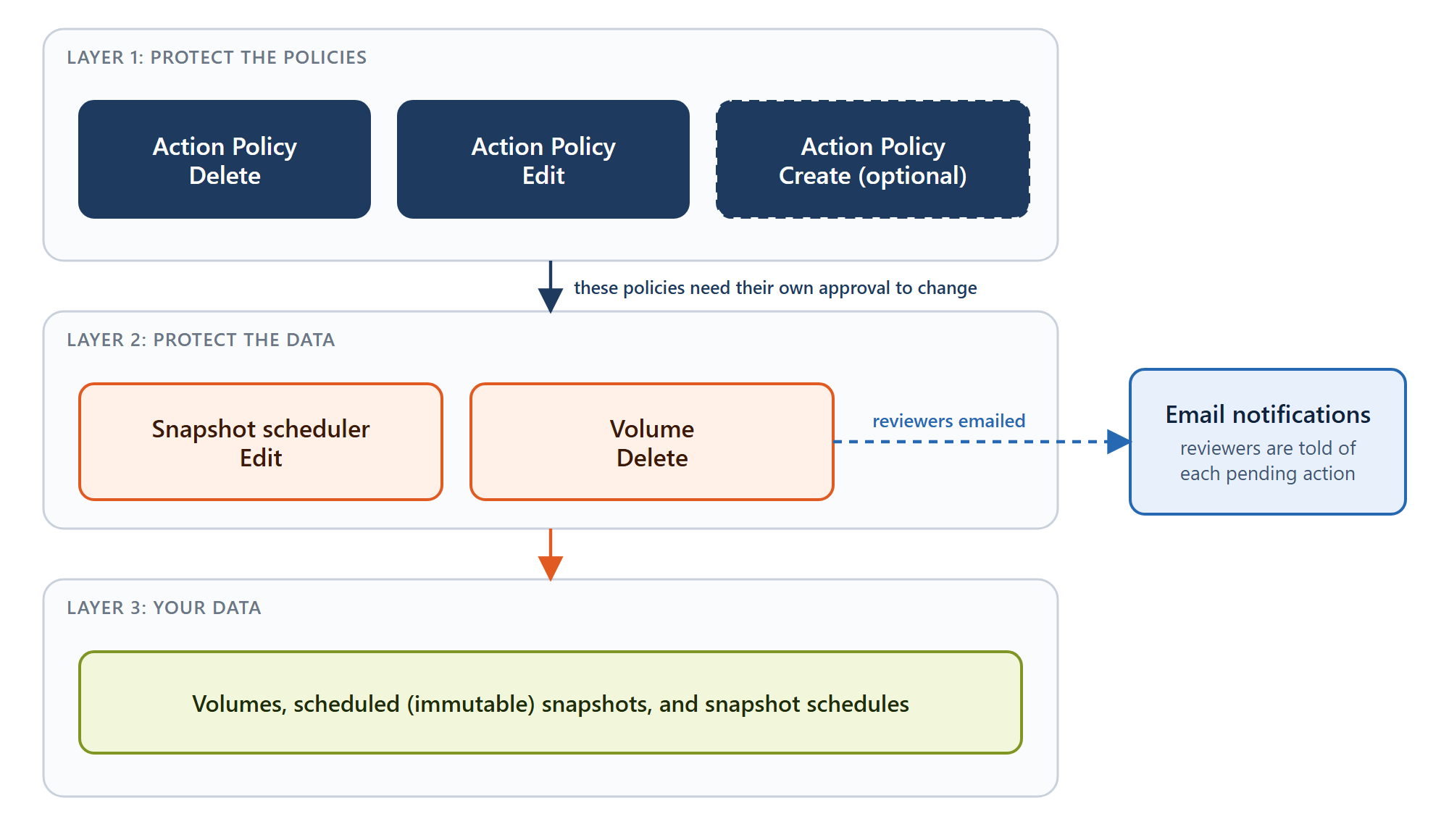
A complete deployment combines these policies:
| Action policy | Role in the deployment |
|---|---|
Snapshot scheduler Edit |
Scheduled snapshots are immutable, and schedule changes need approval. |
Volume Delete |
Volume deletion needs approval. |
Action Policy Delete |
Removing any policy, including the snapshot protection, needs approval. |
Action Policy Edit |
Changing a policy's reviewers or approval threshold needs approval. |
Action Policy Create (optional) |
Adding new policies needs approval. |
Think of it in three layers: the Action Policy policies protect the policies themselves, the Volume and Snapshot scheduler policies protect your data, and your data sits at the bottom. Email notifications complement all of them, so reviewers find out as soon as an action is waiting for their review.
An example: three administrators
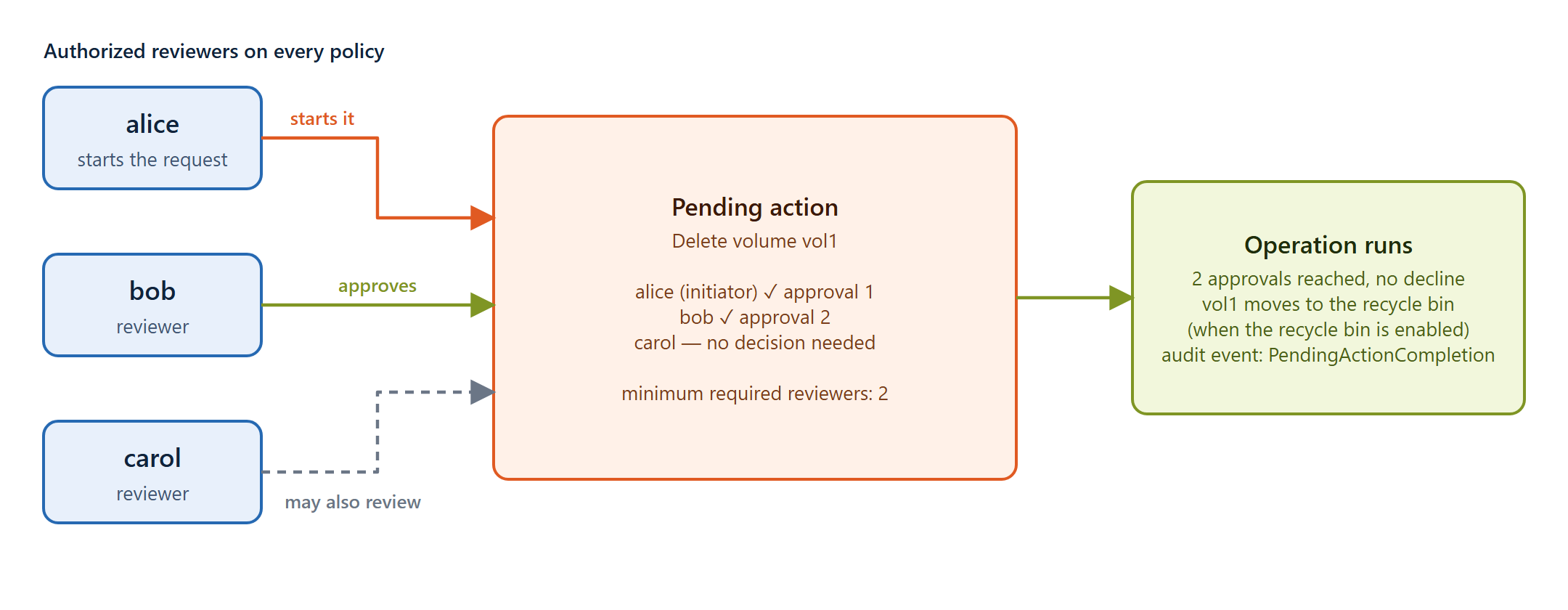
A system is managed by three administrators, alice, bob, and carol. Each of the four main policies names all three as reviewers and requires 2 approvals. The volumes have a snapshot schedule of hourly snapshots kept 7 days, daily snapshots at 02:00 kept 30 days, and weekly snapshots on Sunday at 03:00 kept 12 weeks.
With this configuration:
- Every scheduled snapshot is kept for its full retention period.
- Shortening retention, disabling a schedule, deleting a volume, or changing a protection policy needs agreement from two administrators.
Here is a volume deletion under that setup. alice asks to delete vol1. She's an authorized reviewer, so her request counts as approval 1. bob approves, which makes approval 2 and meets the minimum. Nobody has declined, so the deletion runs, and vol1 moves to the recycle bin if the recycle bin is enabled. carol didn't need to do anything.
Setting it up
You need at least as many Admin users as the number of approvals you plan to require (three or more is recommended), each with a valid email address on their user account.
-
Configure email notifications so reviewers are told when an action is waiting for them. See Notifications for the mail server settings.
-
Configure the snapshot schedule on the volumes you want to protect, if you haven't already. See Snapshots.
-
Create the policy-protection policies first, so the protection can't be weakened by one administrator while you're setting it up:
action_policies create --entityType "Action Policy" --operationType Delete --authorizedReviewers alice bob carol --minimumRequiredReviewers 2 action_policies create --entityType "Action Policy" --operationType Edit --authorizedReviewers alice bob carol --minimumRequiredReviewers 2 -
Create the data-protection policies:
action_policies create --entityType Volume --operationType Delete --authorizedReviewers alice bob carol --minimumRequiredReviewers 2 action_policies create --entityType "Snapshot scheduler" --operationType Edit --authorizedReviewers alice bob carol --minimumRequiredReviewers 2 -
Verify. Run
action_policies listand check that all four policies are there. A request to delete a scheduled snapshot should now be rejected, and a request to delete a volume should now create a pending action that waits for approval.
You can do the same from the web interface under Administration > Action Policies; see Action Policies. Once an Action Policy Create policy exists, creating further policies itself becomes a pending action that needs approval.
Replicated environments
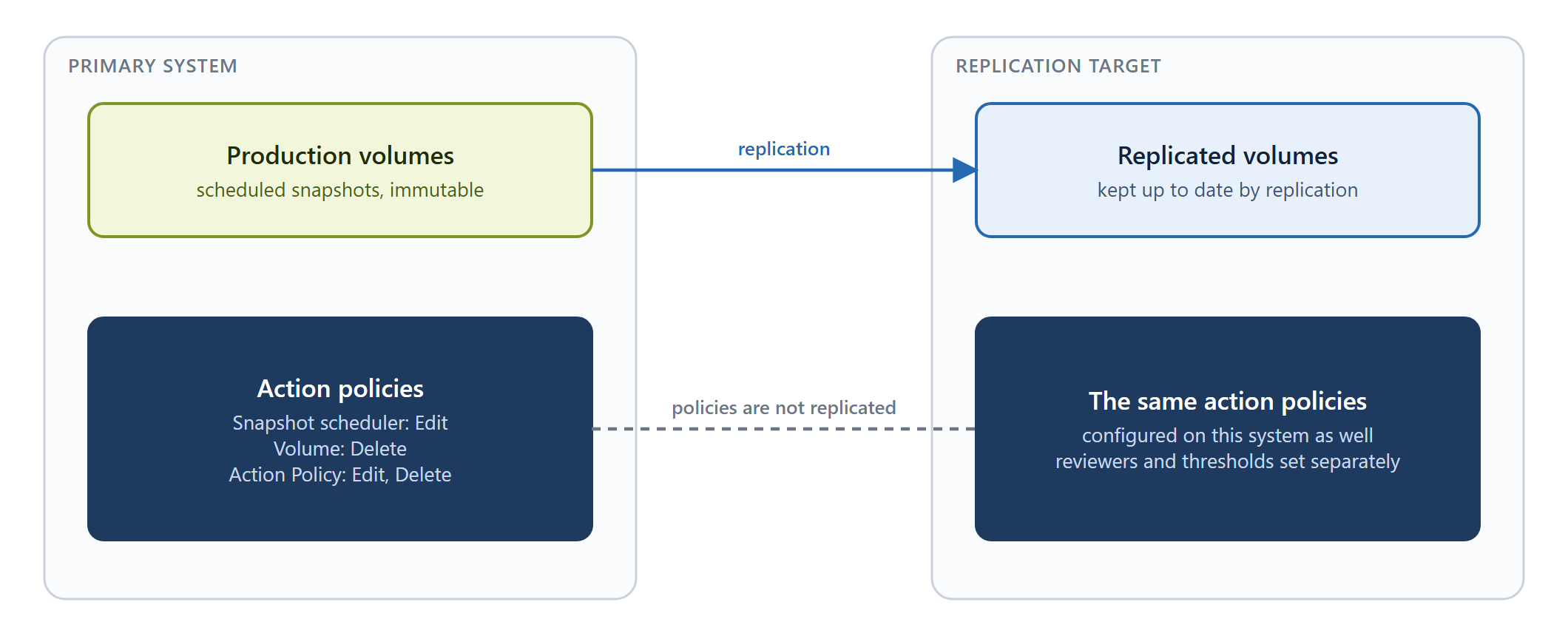
Action policies are configured per system, so each site keeps independent control. They aren't replicated. To protect the snapshot copies on a replication target, configure the same policies on the target system as well. Reviewers and thresholds can be set independently on each system.
See also: Multi-Admin Approval · Best practices · Pending Actions
No comments to display
No comments to display